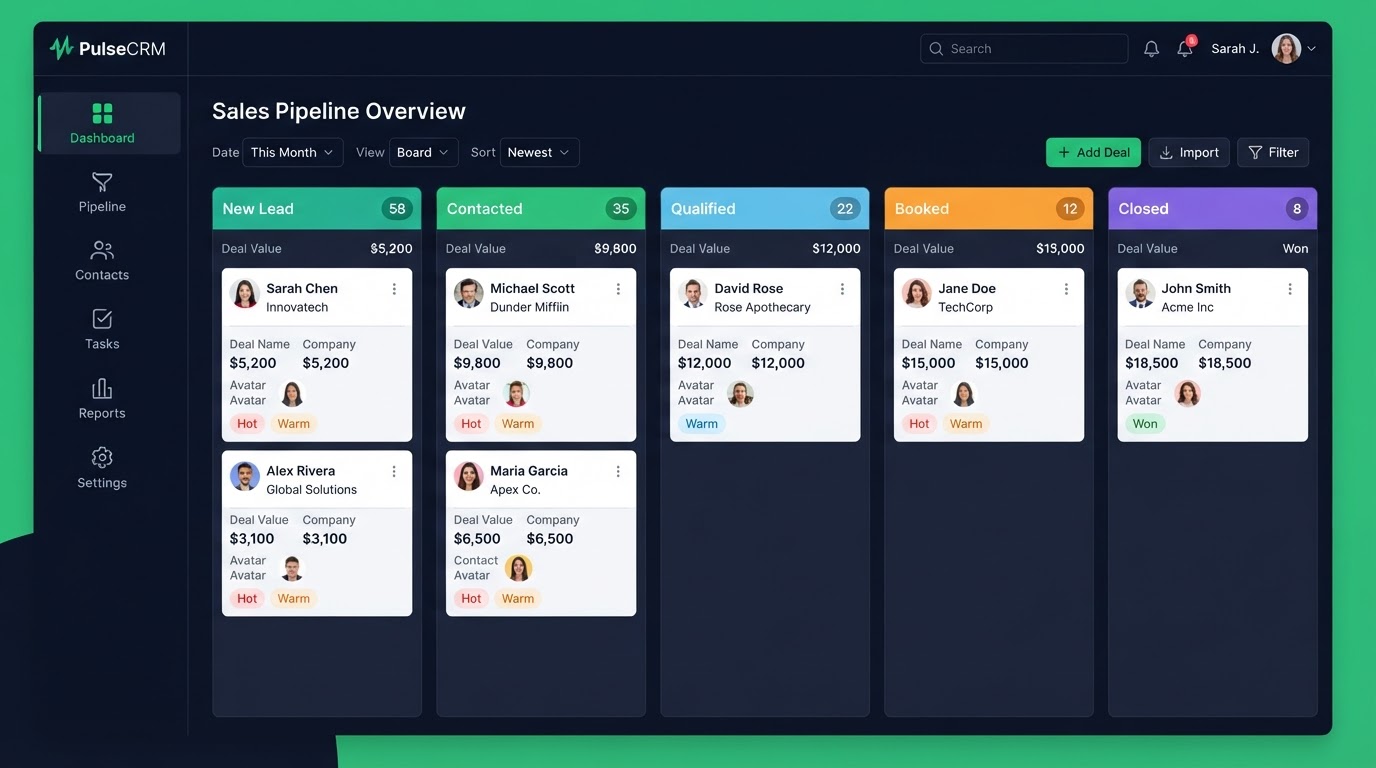
A CRM pipeline should mirror your real sales process — not force you into a generic template. Most CRMs ship with default stages that have nothing to do with how you actually sell, so reps ignore them and deals get lost. Here is how to set up pipelines, stages, and triggers that match how you actually sell.
Key Takeaways
- Map your real stages: We talk to your team and map the real steps a deal moves through — not a default template.
- Custom fields and tags: Custom fields capture deal data like value, source, and service type.
- Stage-change triggers: When a deal moves stages, automations fire — assign a task to the right rep, start a stage-specific follow-up, update fields.
- Reporting dashboards: A pipeline is only useful if you can see it.
Map your real stages
We talk to your team and map the real steps a deal moves through — not a default template. For real estate: New Lead, Contacted, Showing Booked, Offer Made, Closed. For law firms: New Intake, Qualified, Consultation Booked, Retained. Your pipeline should reflect your reality, so reps actually use it.
Custom fields and tags
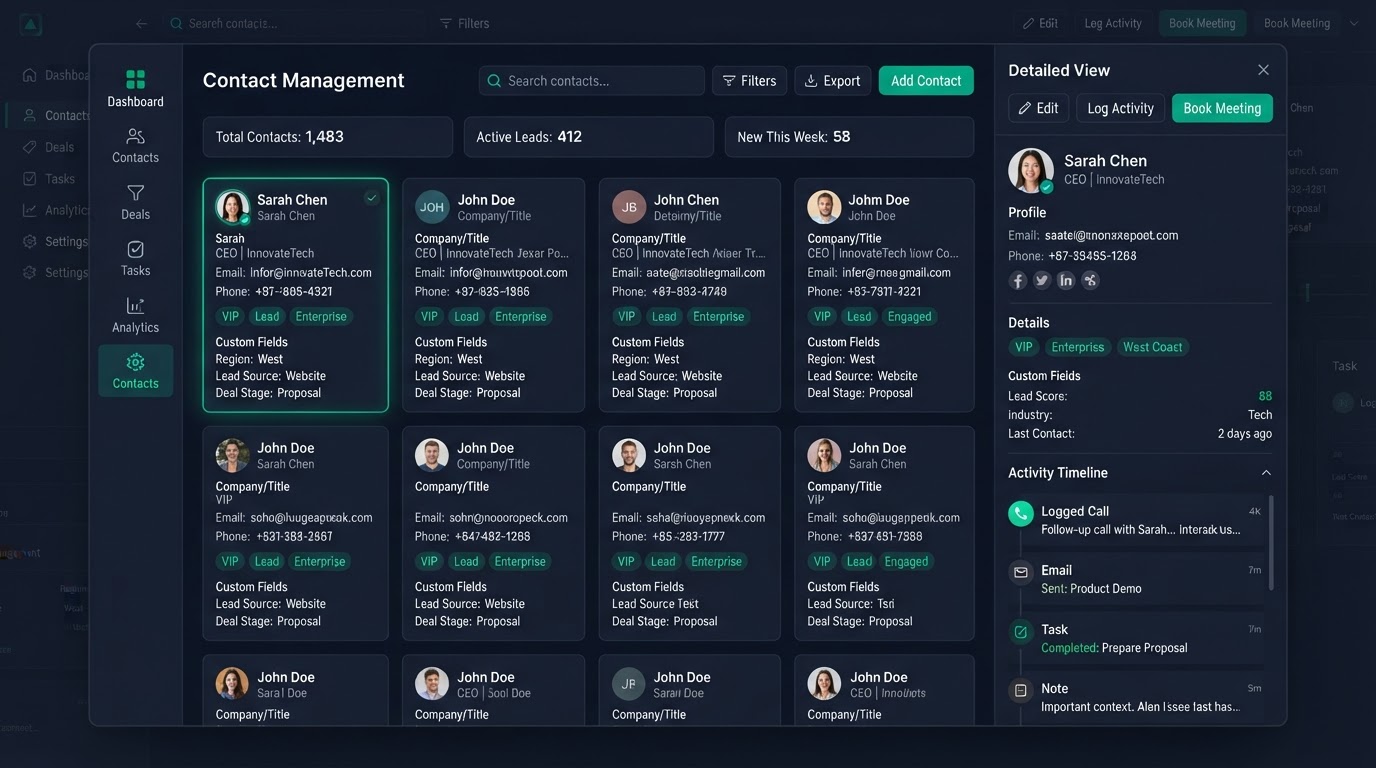
Custom fields capture deal data like value, source, and service type. Tags sort contacts by behavior and interest. Together they let you filter, report, and trigger automations precisely. A contact tagged 'high-intent' can get a different follow-up than one tagged 'cold' — automatically.
Stage-change triggers
When a deal moves stages, automations fire — assign a task to the right rep, start a stage-specific follow-up, update fields. Your sales process moves itself with no manual handoffs. This is what turns a pipeline from a static list into an active sales engine.
Reporting dashboards
A pipeline is only useful if you can see it. We set up dashboards and saved filters so every deal, its stage, its value, and its next step are visible in one place — no more leads scattered across spreadsheets. You can see bottlenecks at a glance and know exactly where to focus.
Multiple pipelines for different lines of business
If you sell more than one service, you can run separate pipelines for each — a real estate team might have one for buyers, one for sellers, one for rentals. Each gets its own stages, automations, and reporting, so nothing gets mixed up.
Get 1 Month Free + Free Setup + Free Support
Start your platform account through our link and get an extended 30-day free trial — plus we'll set up your system, build your first workflow, and support you for free. See it working before you pay a cent.
Claim 1-Month Free TrialThe bottom line
Want to use "gohighlevel crm pipeline setup" in your business? We can build it for you. You get clear pricing, a real delivery date in days, a Loom video walkthrough, and 15 days of free support. Even better — start your account through our link and get 1 month free, free setup, and free support while you test it. Book a free call today and we will show you how.
Frequently asked questions
Quick answers to the most common questions about gohighlevel crm pipeline setup.
Written by certified experts — not AI filler
Every recommendation on this page is based on systems we have actually built and tested for real clients. We document the trigger logic, pipeline stages, and automation flows we deploy — then publish the before/after metrics from live projects. We do not recommend setups we have not delivered ourselves.
Author: CertifiedHighLevelExperts · Reviewed by: Certified GoHighLevel Experts Team · Last reviewed: 2026-09-16
Related topics for GoHighLevel CRM & Pipeline Setup: Map Your Real Sales Process
If you're researching gohighlevel crm pipeline setup, these related terms and concepts come up next. We build all of them inside GoHighLevel.
Primary keyword
Secondary keywords
Related concepts (LSI)
These terms reflect real search intent around gohighlevel crm pipeline setup. We cover each one in the content above and link to the relevant service, industry, or resource page so you can go deeper.
Was this article helpful?
Your feedback helps us write better guides.
Keep reading
Related services and industry guides to help you put this into action.