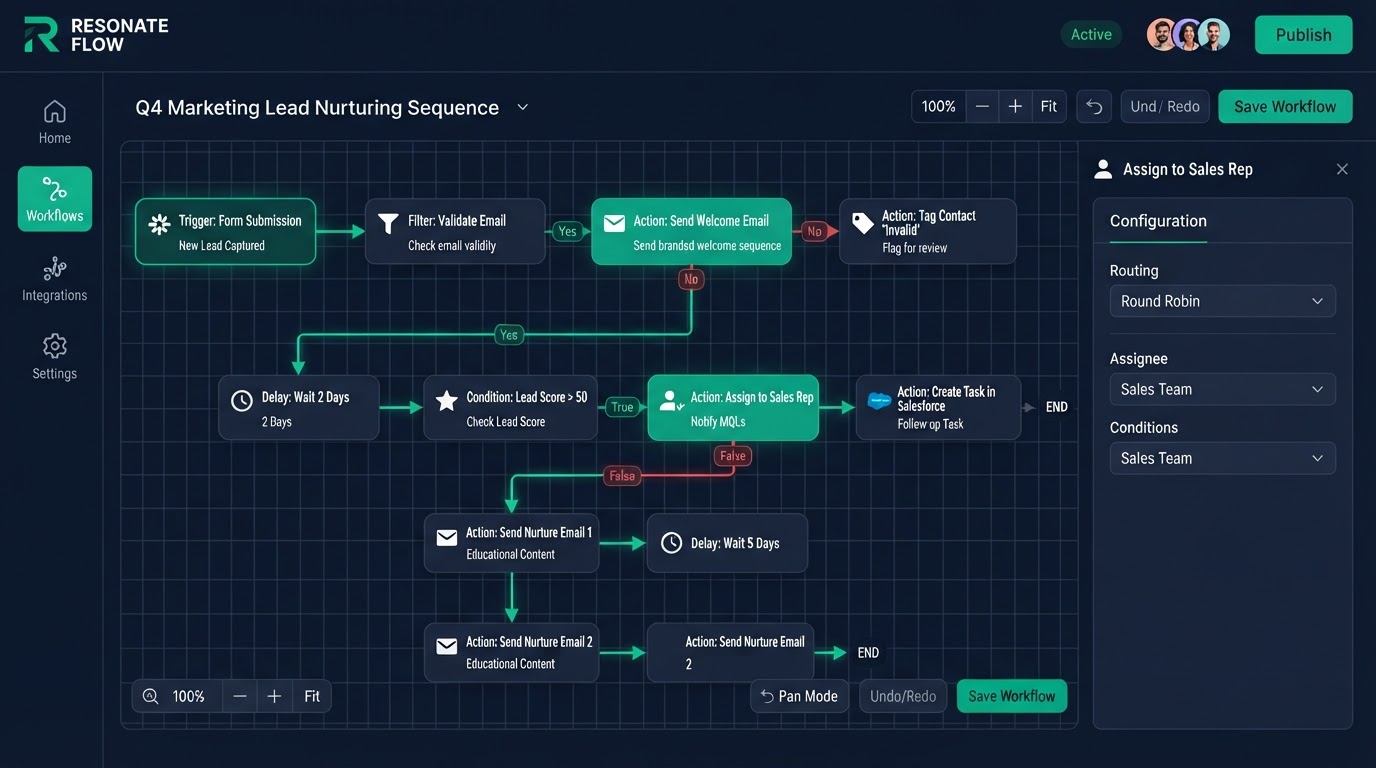
"Developers who can create apps for GoHighLevel" is a search that comes from two places: businesses that want custom integrations built, and developers who want to build and sell apps on the GoHighLevel marketplace. This guide covers both — what a GoHighLevel developer does, how the API and marketplace work, how to connect GoHighLevel to tools like Claude or Webflow, and how to hire the right developer safely.
Key Takeaways
- What a GoHighLevel developer does: A GoHighLevel developer builds on the platform's REST API and webhooks to create custom integrations, automate data flow between systems, and build apps for the marketplace.
- The GoHighLevel API and marketplace: The platform exposes a REST API and webhooks.
- How to connect GoHighLevel to Claude and AI tools: "How to connect GoHighLevel to Claude" is really about bridging the CRM to an AI model.
- How to add GoHighLevel to Webflow and other builders: "How do I add GoHighLevel to Webflow?" has a few answers.
What a GoHighLevel developer does
A GoHighLevel developer builds on the platform's REST API and webhooks to create custom integrations, automate data flow between systems, and build apps for the marketplace. The work includes field mapping (so data from one tool lands in the right place in another), authentication, error handling, and retry logic so integrations stay reliable. A good developer does not just connect two endpoints — they build integrations that do not silently break.
The GoHighLevel API and marketplace
The platform exposes a REST API and webhooks. Inbound webhooks pull data from lead sources and forms into your CRM; outbound webhooks push events to other tools when things happen. Developers can also build and publish apps to the marketplace, which other businesses can install. The API documentation covers login, endpoints, rate limits, and field formats. If you are a developer who wants to create apps for GoHighLevel, start with the API docs and a small integration before a full marketplace app.
How to connect GoHighLevel to Claude and AI tools
"How to connect GoHighLevel to Claude" is really about bridging the CRM to an AI model. The practical path is a webhook or serverless function that sends a contact or message to the AI provider's API and writes the response back into the contact's notes or a custom field. We build these bridges so AI can draft replies, summarize calls, score leads, or enrich contacts — with the data flowing both ways and proper auth so nothing leaks. The same pattern works for other AI models.
How to add GoHighLevel to Webflow and other builders
"How do I add GoHighLevel to Webflow?" has a few answers. The simplest is to embed GoHighLevel forms and calendars into Webflow pages via the platform's embed code, so leads flow straight into your CRM. The deeper option is a full migration — rebuilding the site natively inside GoHighLevel so the site, CRM, and automation are one system, with 301 redirects to preserve SEO. We do both: embeds for a quick start, and full migrations when you want everything in one place.
How to hire the right GoHighLevel developer
Ask for a live integration they built, how they handle field mapping and auth, what error handling and retries they add, and whether they support the integration after launch. A real developer shows you working examples and explains how failures are caught. Watch for developers who only connect endpoints with no error handling — those integrations break silently and cost you leads. The safest hire is a certified expert who builds, tests, and supports.
What we build as GoHighLevel developers
We build custom integrations, marketplace apps, AI bridges, and full migrations — with field mapping, auth, error alerts, and retries so nothing silently fails. Every integration comes with a Loom walkthrough and 15 days of free support so you and your team know how it works and what to do if it hiccups. Start through our trial link and we will scope your integration with a fixed price and delivery date.
Get 1 Month Free + Free Setup + Free Support
Start your platform account through our link and get an extended 30-day free trial — plus we'll set up your system, build your first workflow, and support you for free. See it working before you pay a cent.
Claim 1-Month Free TrialThe bottom line
Want to use "gohighlevel developers" in your business? We can build it for you. You get clear pricing, a real delivery date in days, a Loom video walkthrough, and 15 days of free support. Even better — start your account through our link and get 1 month free, free setup, and free support while you test it. Book a free call today and we will show you how.
Frequently asked questions
Quick answers to the most common questions about gohighlevel developers.
Written by certified experts — not AI filler
Every recommendation on this page is based on systems we have actually built and tested for real clients. We document the trigger logic, pipeline stages, and automation flows we deploy — then publish the before/after metrics from live projects. We do not recommend setups we have not delivered ourselves.
Author: CertifiedHighLevelExperts · Reviewed by: Certified GoHighLevel Experts Team · Last reviewed: 2026-09-16
Related topics for GoHighLevel App Developers: API, Marketplace & How to Hire
If you're researching gohighlevel developers, these related terms and concepts come up next. We build all of them inside GoHighLevel.
Primary keyword
Secondary keywords
Related concepts (LSI)
These terms reflect real search intent around gohighlevel developers. We cover each one in the content above and link to the relevant service, industry, or resource page so you can go deeper.
Was this article helpful?
Your feedback helps us write better guides.
Keep reading
Related services and industry guides to help you put this into action.